


 ▶Official LightBurn
LightBurn SoftwareIntermediateCurrent
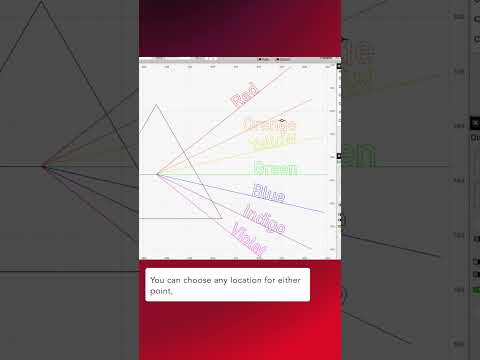
Quick Tip: Two-Point Rotate / Scale
Official LightBurn Software tutorial focused on Two-Point Rotate / Scale.
Carefully reviewed LightBurn videos that add visual context to the written knowledge base. Videos play inside LaserLearn.
▶Official LightBurnOfficial LightBurn Software tutorial focused on Two-Point Rotate / Scale.
 ▶Official LightBurn
Official LightBurn Software tutorial focused on Drag and drop directly into LightBurn.
 ▶Official LightBurn
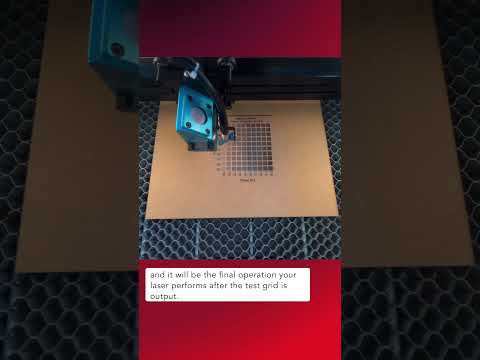
Official LightBurn Software tutorial focused on Material Test Border Cutout.
 ▶Official LightBurn
Official LightBurn Software tutorial focused on Get Accurate Job Times in LightBurn.
 ▶Official LightBurn
Official LightBurn Software tutorial focused on Migrate LightBurn Settings With User Bundles.
 ▶Official LightBurn
Official LightBurn Software tutorial focused on Save Time With Default Layer Settings.
 ▶Official LightBurn
Official LightBurn tutorial covering efficient zooming and panning around the workspace.
 ▶Official LightBurn
Official LightBurn tutorial covering using Trace Image to convert bitmap artwork into editable vector geometry.
 ▶Official LightBurn
Official LightBurn tutorial covering filtering and organizing the font list for faster text design.
 ▶Official LightBurn
Official LightBurn tutorial covering selecting every object that belongs to the current layer.
 ▶Official LightBurn
Official LightBurn tutorial covering the different behaviors of drag-box selection in LightBurn.
 ▶Official LightBurn
Official LightBurn tutorial covering keyboard-driven alignment of selected objects.
 ▶Official LightBurn
Official LightBurn tutorial covering enabling LightBurn dark mode.
 ▶Official LightBurn
Official LightBurn tutorial covering fine adjustments to camera overlay placement and scale in the pre-2.1 camera workflow.
 ▶Official LightBurn
Official LightBurn tutorial covering changing how geometry is displayed in the LightBurn workspace.
 ▶Official LightBurn
Official LightBurn tutorial covering using the Shape Properties window to inspect and modify object-specific properties.
 ▶Official LightBurn
Official LightBurn tutorial covering creating text, choosing fonts and editing LightBurn text objects.
 ▶Official LightBurn
Official LightBurn tutorial covering packing selected objects efficiently into a rectangular area with Quick Nest.